How to use Loupe: pin feedback for Claude Code
Loupe is an open-source visual feedback tool: you pin comments to elements of a live web page, and, according to Loupe’s documentation, an AI agent such as Claude Code can pick them up over MCP (Model Context Protocol, an open-source standard for connecting AI applications to external systems). This post follows Loupe’s own tutorial: a comment on a page, a card on a board, and the steps to let an agent read it. The section “What I checked” says exactly which steps I ran.

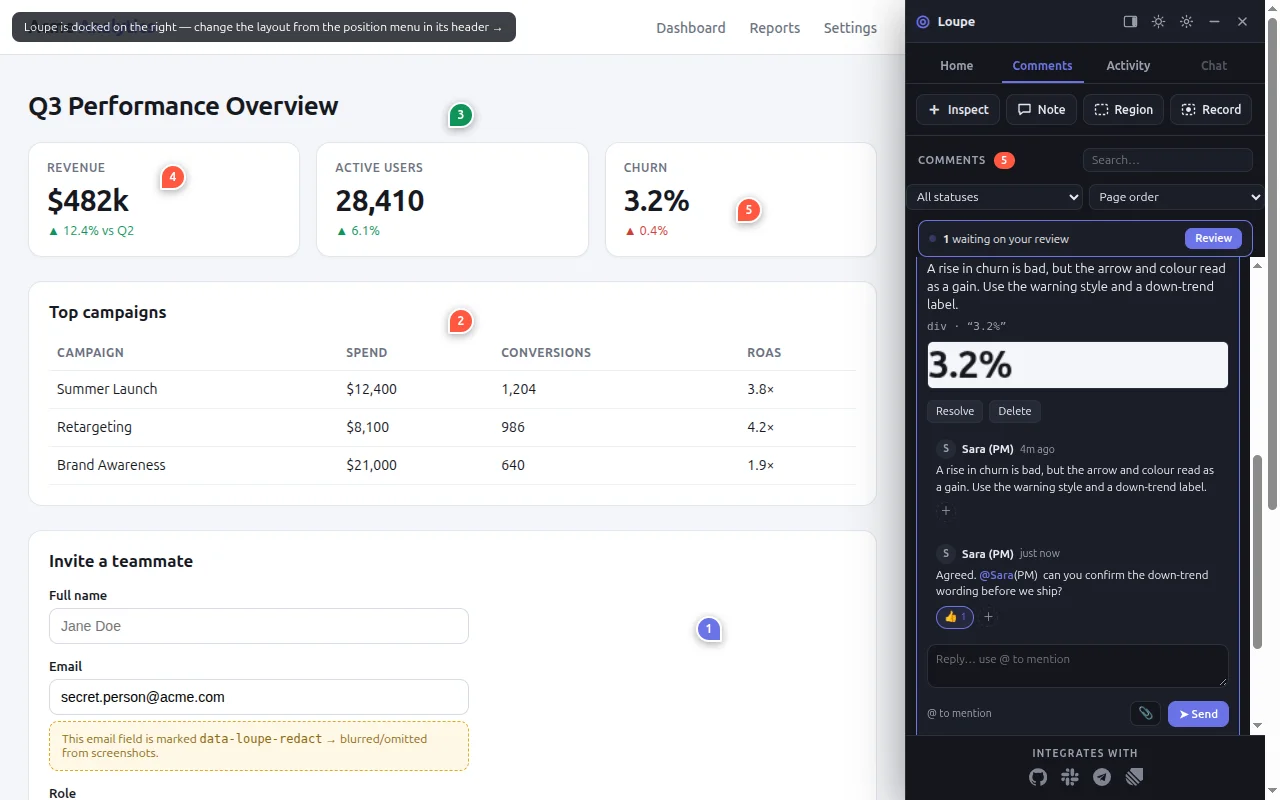
What you can do with it
- Pin feedback where it belongs. Comment on one element, drag a region, or leave a free note. Loupe tries to find the same element again after a redeploy; below a score of 0.5 the pin detaches and shows a “moved” badge.
- Capture what you see. Attach a screenshot or a short screen recording. Elements marked
data-loupe-redactare left out of the screenshots Loupe’s built-in capture takes (images only). Screen recordings capture the real pixels, redacted elements included. - Discuss in threads. Reply under each comment, mention teammates with
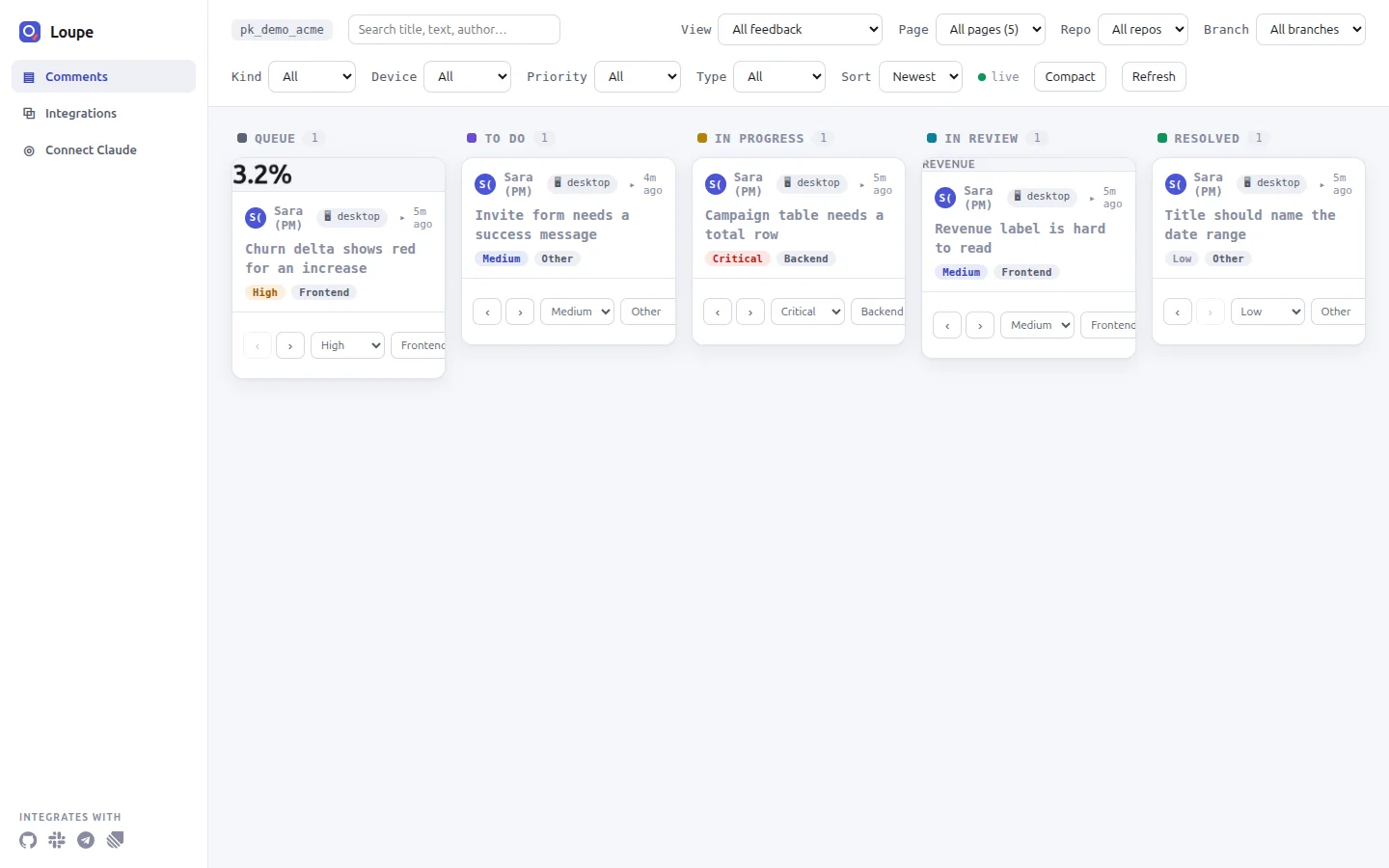
@, and react with an emoji. - Triage on a five-stage board. Queue, To Do, In Progress, In Review and Resolved.
- Hand the backlog to an agent. The
@loupekit/mcpserver gives Claude Code 19 tools, includinglist_comments,get_comment,propose_changeandupdate_status.
Choose how to install
| Integration | Use it when |
|---|---|
| Script tag | You want the widget on any page without a build step |
| npm package | Your app uses a bundler (the guides show React and Vue 3 examples) |
Laravel (loupekit/laravel) |
Your app is built on Laravel 11, 12 or 13 (the declared Composer constraint, not tested here) |
| Browser extension | You want to comment on a site you cannot change |
| MCP clients | You want Claude Code or another MCP client to work through the comments |
| Local server and dashboard | You want the Node API and the board on your machine |
The rest of this post uses the local server, because it is the path Loupe’s tutorial takes.
Step 1: run the local server
You need Node 24 (the documented version), npm and git.
git clone https://github.com/mohamed-ashraf-elsaed/loupe.git
cd loupe
npm install
npm run build
npm run seed
npm start
npm run seed creates a demo project and prints its keys:
Seeded project: pk_demo_acme
  admin key   (dashboard ?key= / X-Loupe-Admin): sk_demo_acme_0f3b9c
npm start prints the addresses and keeps running:
[loupe] API + static on http://localhost:8787 (dashboard: /dashboard/ · demo: /demo/)Step 2: open the demo page
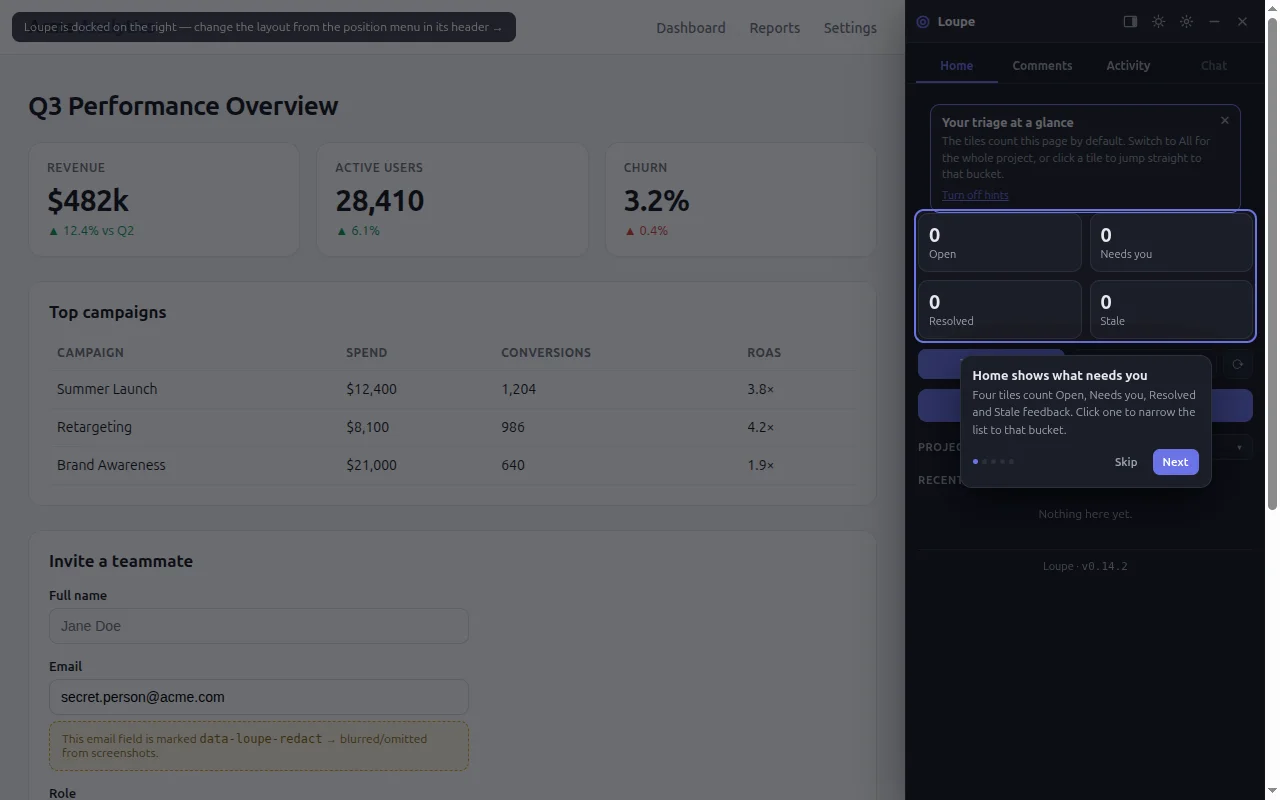
Open http://localhost:8787/demo/. You see a made-up analytics page with the Loupe panel docked on the right and a short tour.
Step 3: pin a comment on an element
- Click Skip on the tour if it is still showing, because its card covers the button. On the Home tab, click Pin feedback on this page. The Inspect tool turns on.
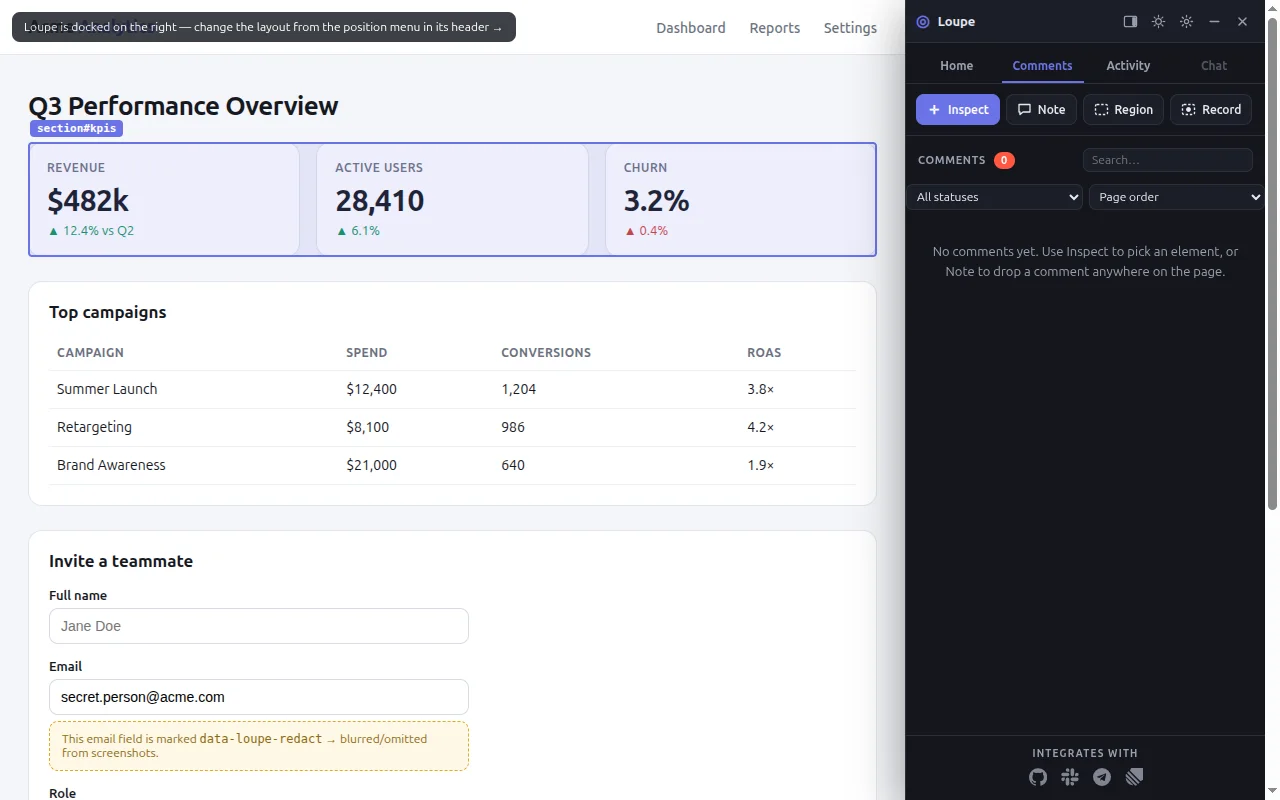
- Move the pointer over the Send invite button. Loupe outlines it and shows the tag name.
- Click it. A small composer opens, and its header names the element you picked.
- Type a title and a description. The Comment button stays disabled until both have text.
- Leave Attach screenshot checked and click Comment.
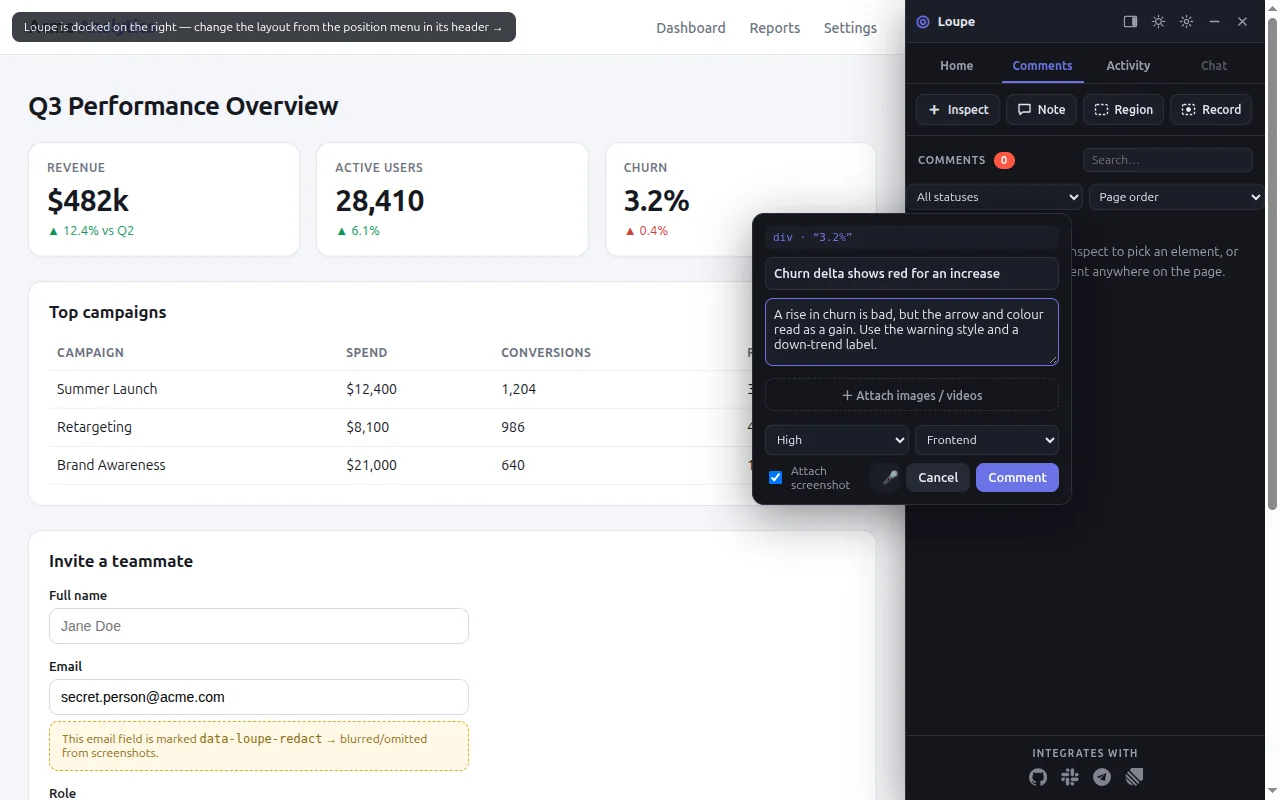
A numbered pin appears on the button, and the comment shows at the top of the Comments list. Every comment is a thread: click it, reply, and mention people with @.
Step 4: triage on the board
Open http://localhost:8787/dashboard/?key=sk_demo_acme_0f3b9c in a new tab. The key is the admin key that npm run seed printed. Your comment is a card in the Queue column. Use Move forward to send it to To Do.
Step 5: connect Claude Code
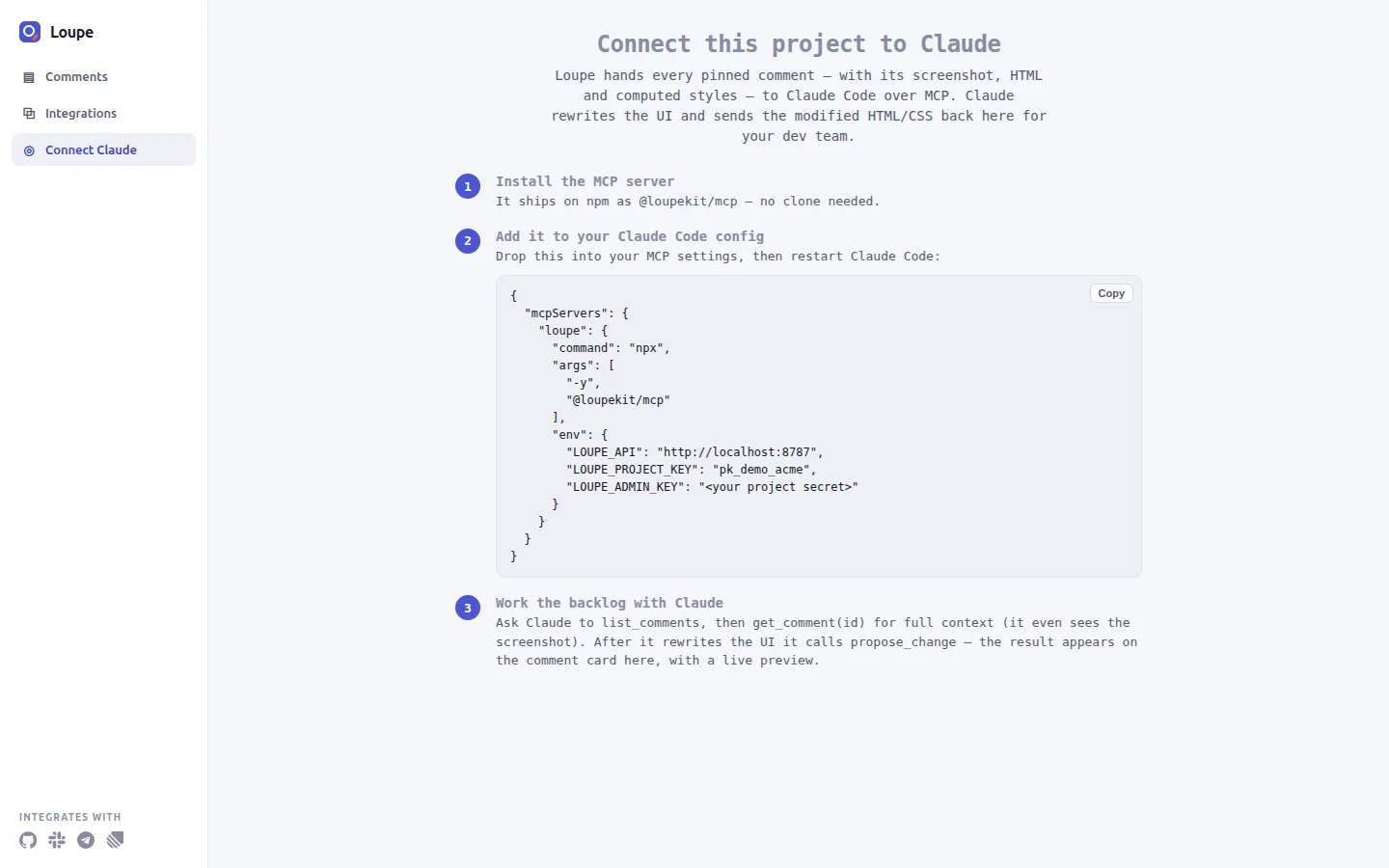
Loupe’s MCP server lets Claude Code read comments and write back proposed changes. In an empty project folder, create .mcp.json:
{
  "mcpServers": {
    "loupe": {
      "command": "npx",
      "args": ["-y", "@loupekit/mcp"],
      "env": {
        "LOUPE_API": "http://localhost:8787",
        "LOUPE_PROJECT_KEY": "pk_demo_acme",
        "LOUPE_ADMIN_KEY": "sk_demo_acme_0f3b9c"
      }
    }
  }
}
The three variables name your server, the project to read and the project secret. Keep this file out of version control if it ever holds a real secret. Start Claude Code in that folder, approve the loupe server, and run /mcp: loupe should show as connected. The dashboard’s Connect Claude page shows the same snippet, already filled in with your address and project key.
Step 6: let Claude read it and propose a fix
Ask Claude Code:
List the Loupe comments.It calls list_comments and answers in this shape:
1 comment(s):

- [To Do] Medium · Other · #<COMMENT_ID> — Invite button is hard to see: Make the Send invite button stand out more.
    ↳ [data-testid="btn-invite"] on /demo/ (by Sara (PM))
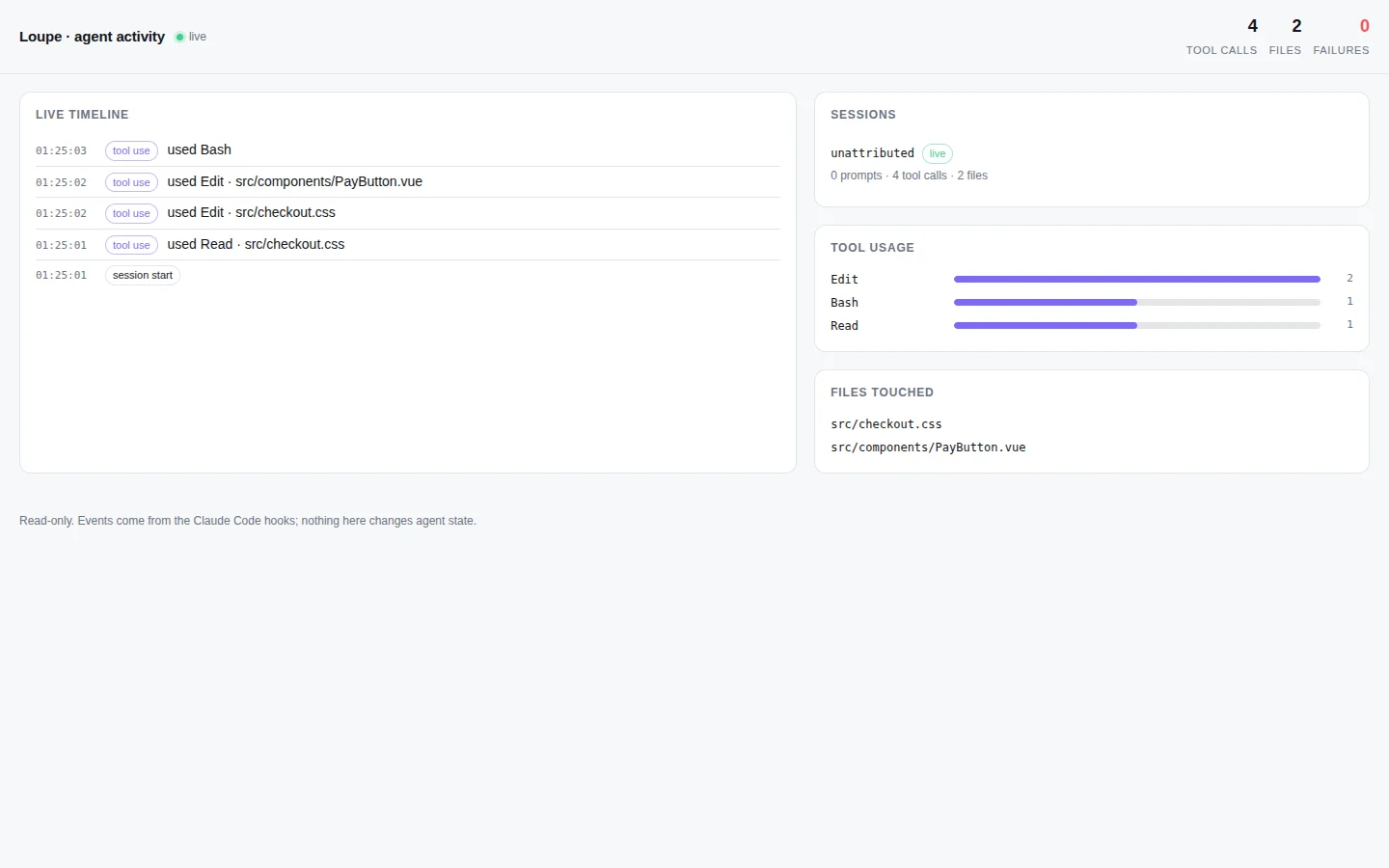
Then ask it to get the full context and propose a change. get_comment returns the comment, the page, the element’s HTML, its computed styles and the screenshot. propose_change saves HTML and CSS as a before-and-after preview on the card. The preview runs in a sandboxed frame with scripts turned off, so it shows markup and styles only.
Step 7: a person resolves it
The MCP tools are built so that an agent stops at In Review: mark_thread_addressed has no status argument and always sets In Review. The tutorial states plainly that this is an instruction to the agent, not a permission check. A person reviews the preview and clicks Resolve in the widget or on the board.
What I checked, and what I did not
On 2026-10-31 I ran steps 1 and 2 and the server part of step 4 from a fresh clone of Loupe 0.14.2, with Node v26.7.0 (the documented version is Node 24): npm install, npm run build, npm run seed and npm start, on port 8795 (PORT=8795 npm start) to stay off the default port. The seed output matched the one above, and the demo page and the dashboard both answered with HTTP 200. The widget loaded in a real browser. The browser console showed three 404 responses (the favicon, /v1/org and /v1/activity), and the cause is in the code: the widget treats a 404 from /v1/org and /v1/activity as “this backend has none”, and the Node server has no such routes and no favicon route.
I did not run Claude Code against this server for this post. The .mcp.json snippet, the list_comments output shape and the Laravel and Hub paths come from Loupe’s own documentation. The other screenshots come from the project’s documentation too. The published @loupekit/mcp 0.14.0 fails at start with ERR_MODULE_NOT_FOUND; the documentation says this is fixed in 0.14.1. The latest version on npm on 2026-10-31 was 0.14.1, and my clone is 0.14.2, which is not published, so npx -y @loupekit/mcp installs a version I did not run.
What I would do differently
- Print the project secret less casually. The demo secret appears in the tutorial, in the dashboard address and in
.mcp.json. It is a demo value, but a real project’s secret should not sit in a file that people might commit. I have not tested another way to pass it. - Say “instruction, not permission” earlier. The board shows five columns, and nothing on it shows that the rule about In Review lives in the MCP tools. I would put that sentence next to the columns.
Sources
- Loupe README, fetched 2026-10-31
- Loupe tutorial, pin your first comment and hand it to Claude Code, fetched 2026-10-31
- Loupe guide, connect Claude Code and other MCP clients, fetched 2026-10-31
- Model Context Protocol, what is MCP?, fetched 2026-10-31
